Record your trip
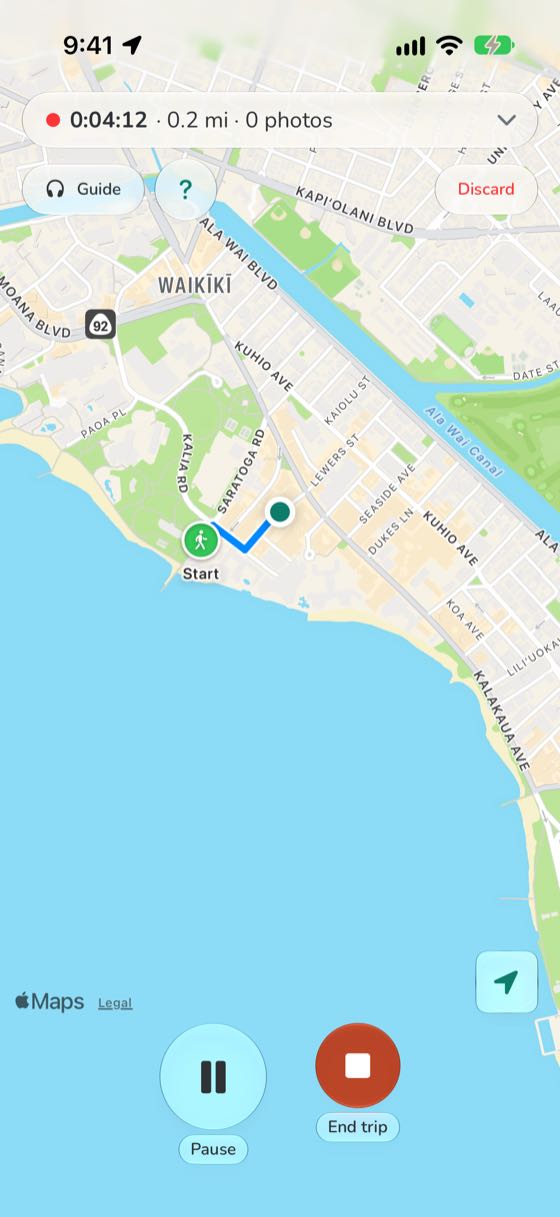
Tap Start and put your phone away. HawaiiFace draws your walk or drive on the map as you go, with the time and the distance.
Step by step
- Tap Start when you set off, on foot or by car.
- Lock your phone and put it away. The trip keeps recording, and the lock screen shows it, with a Pause button.
- Stopping for lunch? Tap Pause. Paused time is left out of the trip's time.
- Tap End trip when you're done. Your route, time and distance are saved, with your photos along the route.